


Ark Astraeos introduces players to a futuristic, alien-inspired world within Ark Survival Ascended. With unique biomes, space-age creatures, and sci-fi technology, this map adds new depth to Ark’s evolving gameplay. For players eager to experience this expansion, this guide explains how to download, install, and play Ark Astraeos on all supported platforms.
Step 1: Purchase Ark Survival Ascended
Before you can play Ark Astraeos, you must own the base game, Ark Survival Ascended. This is required on Xbox Series X/S, PlayStation 5, and PC (Steam/Epic).
Pricing (Base Game)
- Xbox: $44.99
- PlayStation 5: $44.99
- PC (Steam/Epic): $44.99
Step 2: Purchase the Expansion Pass
Ark Astraeos is part of the Ark Survival Ascended Expansion Pass. It cannot be purchased separately, so you need to buy the Expansion Pass, which also includes:
- Scorched Earth Ascended
- Aberration Ascended
- Extinction Ascended
Expansion Pass Pricing
- $29.99 on all platforms
Step 3: Buy And Download Ark Astraeos
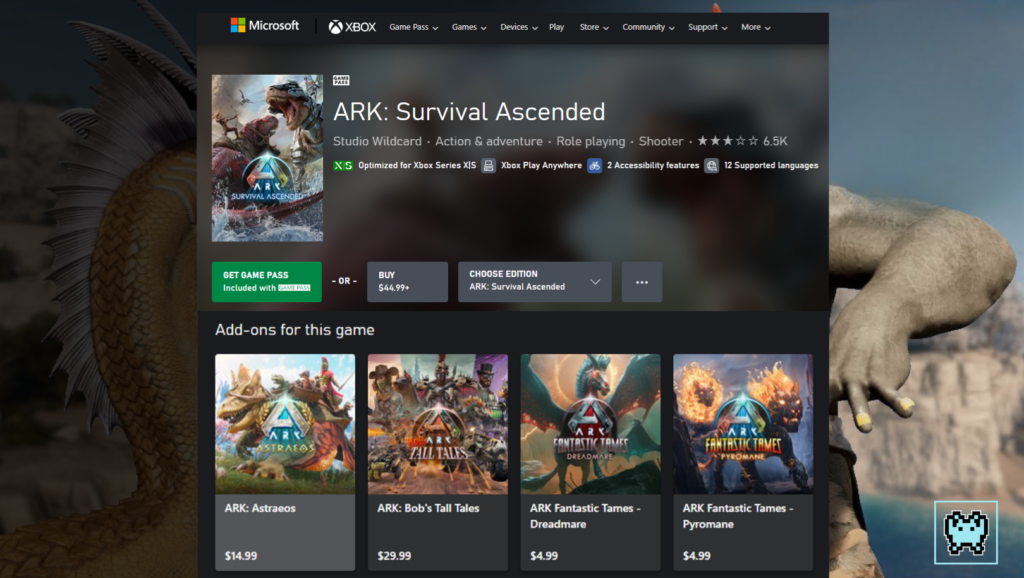
For Xbox Series X/S
- Open the Microsoft Store.
- Search for Ark Survival Ascended.
- Purchase and install the game.
- After installing the base game, return to the Microsoft Store.
- Search for Ark Astraeos or you can find it on ‘Add-ons for this game‘.
- Purchase it for $14.99.
- Once purchased, the map will appear as a downloadable add-on within the game.
- Download the map directly from the in-game menu under ‘Manage Add-Ons‘.
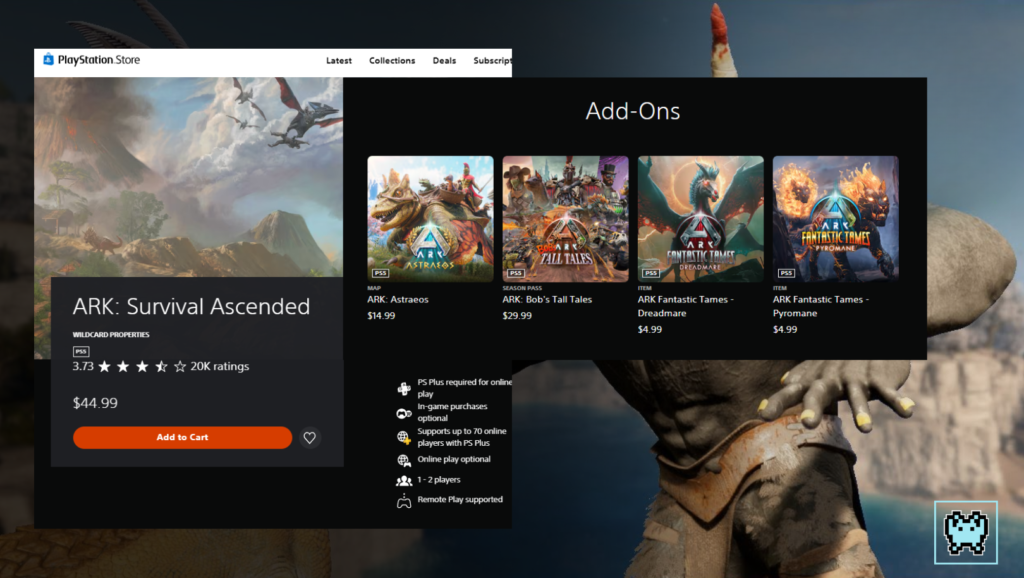
On PlayStation 5
- Visit the PlayStation Store.
- Search for Ark Survival Ascended.
- Purchase and install the game.
- After installing the base game, return to the PlayStation Store.
- Search for Ark Astraeos or you can find it on ‘Add-Ons‘.
- Purchase it for $14.99.
- Once purchased, the map will appear in the map selection screen within the game.
On PC (Steam and Epic)
- Open Steam or the Epic Games Launcher.
- Search for Ark Survival Ascended in your library.
- Purchase and install the game.
- After installing the base game, return to Steam or the Epic Games Store.
- Search for Ark Astraeos.
- Purchase it for $14.99.
- Once purchased, go to the game’s properties and select ‘DLC Management‘.
- Ensure Ark Astraeos is enabled and download the required files
Step 4: Launch Ark Astraeos
Once installed, follow these steps:
- Launch Ark Survival Ascended.
- Navigate to Single Player or Multiplayer mode.
- In the map selection screen, select Ark Astraeos.
- Choose your difficulty and start your adventure.
Minimum System Requirements for PC
Recommended Specs
- CPU: Ryzen 7 or i7 equivalent
- RAM: 16GB
- GPU: RTX 3060 or better
- Storage: 120GB SSD
Common Issues and Fixes
- Map Not Appearing: Make sure the Expansion Pass is properly installed. Restart your console or launcher if necessary.
- Download Stuck: Check your internet connection and pause/resume the download.
Conclusion
Downloading and playing Ark Astraeos requires both the base game and the Expansion Pass, but with these in place, installation is straightforward. With its alien worlds and new challenges, Astraeos offers a fresh experience for Ark veterans and new players alike. Be sure to check your platform’s store for the latest updates and enjoy exploring this sci-fi adventure.